

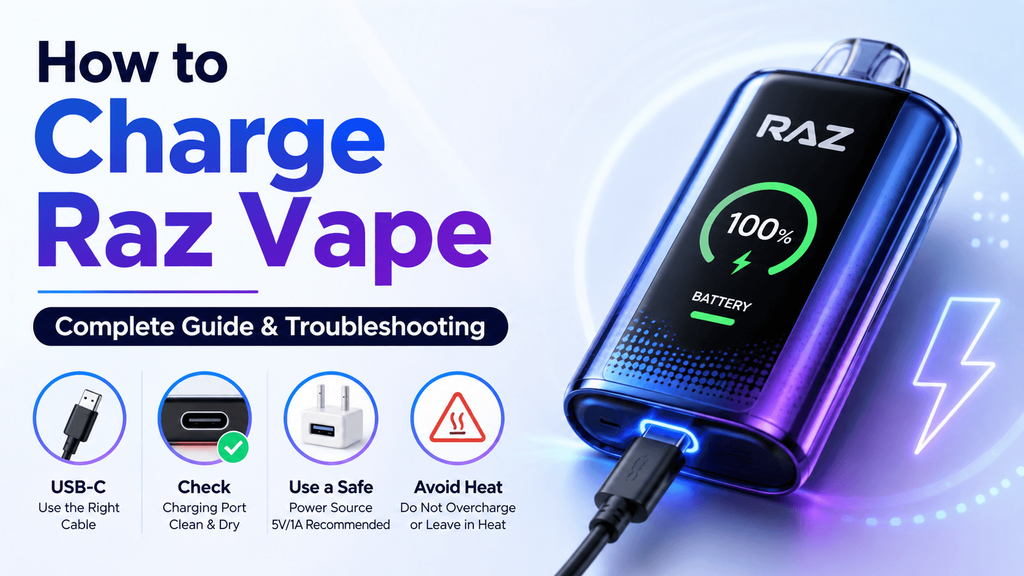
Your RAZ vape blinks a few times, the battery icon sits at zero, and then it just stops working.
Most of the time, the fix is simple — it needs to be charged.
Charging a RAZ vape isn’t complicated, but people run into the same questions over and over: how long it takes, what charger to use, and what to do when nothing happens after you plug it in. Here’s a straightforward walkthrough.
How to Charge a RAZ Vape
Most rechargeable RAZ models charge through a USB-C port, typically near the bottom of the device.
The process is five steps:
- Locate the USB-C port on your RAZ vape.
- Plug in a USB-C cable that fits properly.
- Connect the other end to a USB power source.
- Check for the battery icon, charging animation, or LED indicator.
- Unplug once the indicator shows a full charge.
That’s really all there is to it.
What Charger Should You Use?
Stick with a standard USB-C cable and a regular low-power adapter. Current RAZ charging guidance generally calls for a 5V/1A power source.
You might be tempted to grab that 65W laptop charger sitting on your desk — don’t. Higher wattage doesn’t charge a vape faster, and it can put unnecessary stress on the battery. Use the specs recommended for your specific RAZ model whenever you can.
How Long Does a RAZ Vape Take to Charge?
It depends on the model. Different RAZ devices use different battery sizes, so charging times vary from one to the next.
Rather than setting a timer, keep an eye on the battery indicator or screen. Once it reads full, unplug it.
Avoid leaving it plugged in overnight or while you’re away for long stretches. It’s not a good habit for any rechargeable device.
Why Is My RAZ Vape Not Charging?
You plug it in and nothing — no light, no animation, no response at all.
Before you write off the device, work through these checks in order.
1. Try a Different USB-C Cable
Cables go bad more often than you’d expect. One can look perfectly fine on the outside and still not deliver power. Swap in a cable you know works with another device and see if that changes anything.
2. Try a Different Power Source
The adapter might be the problem, not the vape. Try another USB port or a different wall adapter and watch for the charging indicator to come on.
3. Check the Charging Port
Dust and lint build up inside USB-C ports over time, especially if you carry the vape in a pocket. That gunk can keep the cable from making a solid connection. Look inside the port, keep it clean and dry, and don’t poke around with anything metal.
4. Check the Battery Display
Some RAZ models have a digital battery screen. If the screen lights up when you connect it but the percentage doesn’t budge, try another cable and power source first. If it still won’t charge after that, the device likely has a battery or port problem.
What If the RAZ Vape Gets Hot While Charging?
A little warmth is normal for anything with a rechargeable battery. Excessive heat is not.
If the device gets very hot, smells off, leaks, swells, or shows any visible damage, unplug it right away (if it’s safe to do so) and stop using it. Don’t keep plugging it back in to test it — that’s how you make a bad situation worse.
Battery Full but RAZ Vape Still Not Hitting?
If the battery reads full but you’re still getting no vapor, charging probably isn’t the issue.
A few things could be going on: the airflow is blocked, the e-liquid has run out, or there’s an internal fault. It’s worth remembering that rechargeable doesn’t mean refillable. Plugging it in restores the battery; it doesn’t add e-liquid. If the pod or tank is empty, charging won’t fix that.
Quick RAZ Charging Tips
- Use the right cable and power source for your model.
- Keep the USB-C port clean and dry.
- Don’t leave it charging unattended for long periods.
- Unplug once it’s fully charged.
- If it gets unusually hot or looks damaged, stop charging immediately.
Final Thoughts
Charging a RAZ vape comes down to three things: plug in the USB-C cable, watch the indicator, and unplug when it’s full.
If it won’t charge, start with the obvious culprits — the cable, the power source, and a dirty port — before assuming the device itself is broken.
And if the battery says 100% but there’s no e-liquid left, no amount of charging is going to bring it back.