

How to Order
Ordering from VaporSolo is straightforward. Follow the three steps below to select your product options, review your cart, and complete checkout.
Three simple steps.
Products and available options may vary, but the basic ordering process remains the same. Use the screenshots below as a quick visual guide.
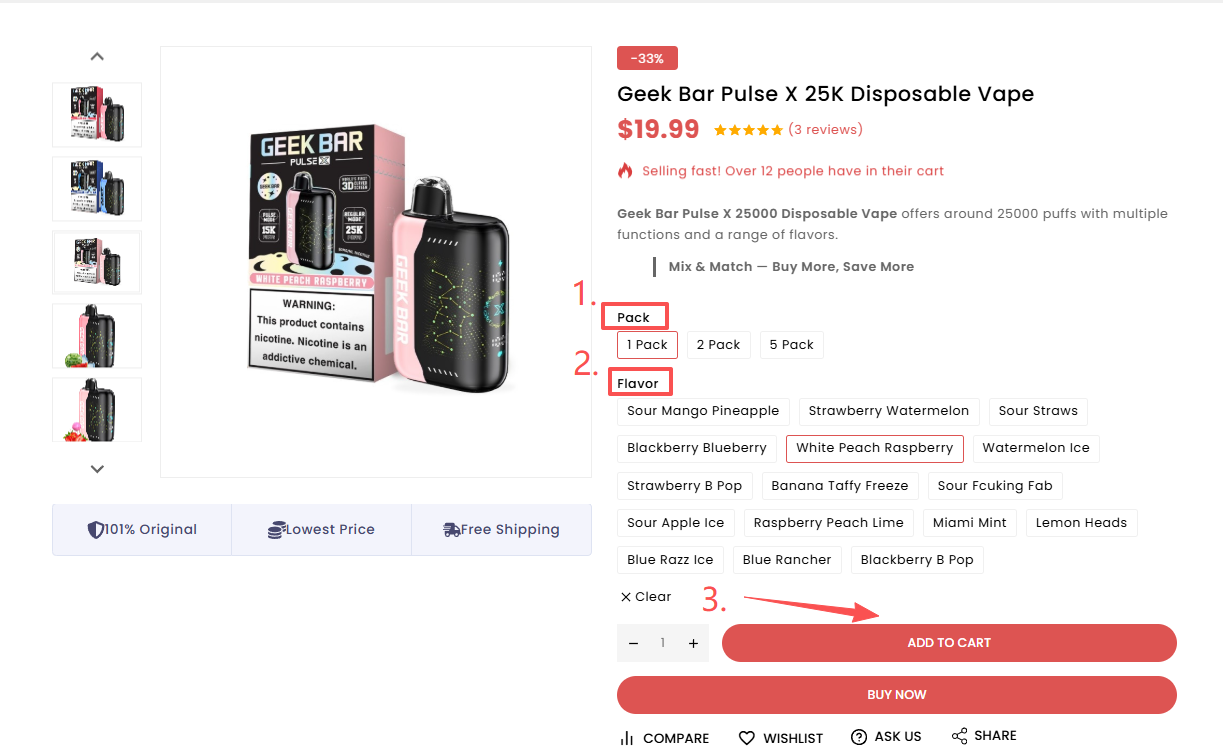
Select your Pack and Flavor.
On the product page, choose the available Pack option and Flavor you want.
After confirming your selections, click Add to Cart.
Make sure the correct Pack and Flavor are highlighted before adding the product to your cart.
Review your cart.
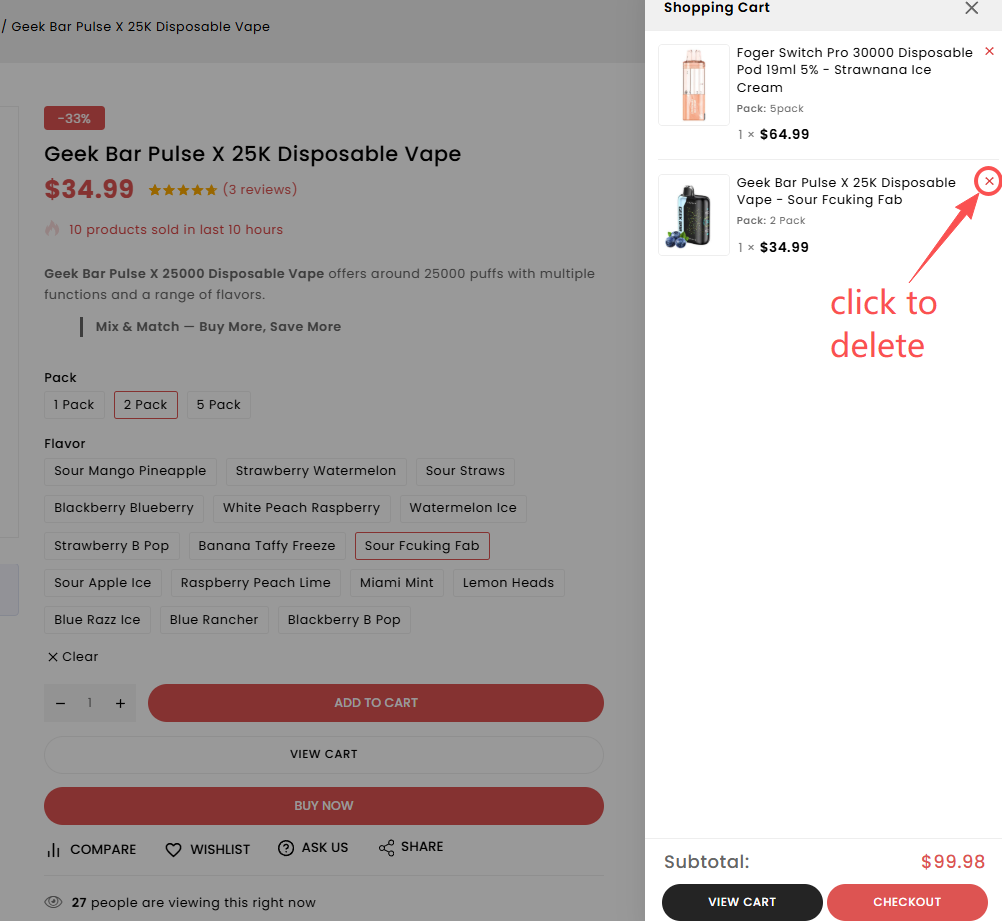
After adding a product, review the Shopping Cart before moving to checkout.
Confirm the product, selected Pack, Flavor, quantity, and price.
Click the × icon next to an unwanted product to remove it from your cart. When everything looks correct, click Checkout.
Complete your order.
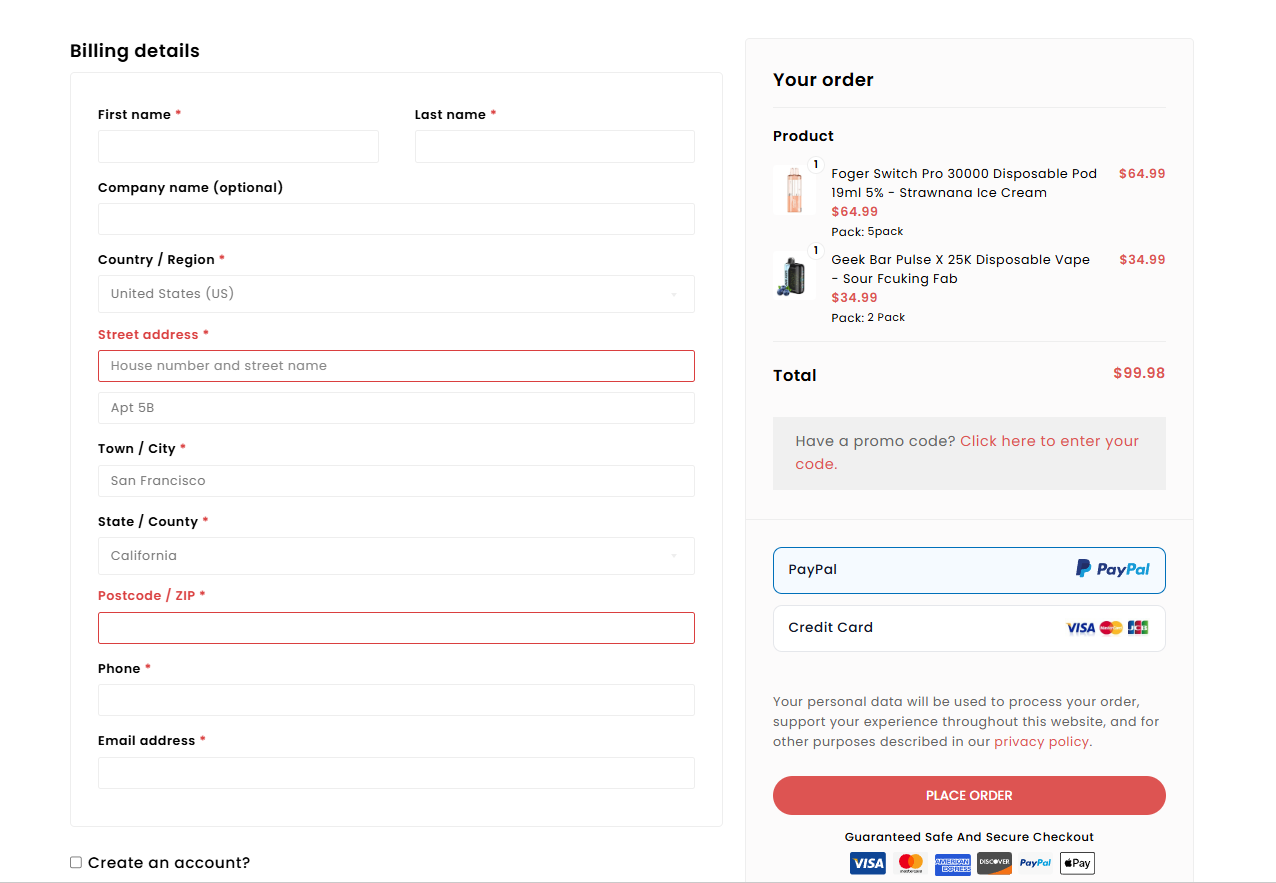
On the checkout page, enter the required billing and delivery information.
Review your order summary, select an available payment method, and confirm that all information is correct.
When you're ready, click Place Order.
Double-check your name, delivery address, ZIP code, phone number, email address, products, quantities, and order total.
Review before you place your order.
Taking a moment to review your selections and delivery details can help prevent common order issues.
Questions about your order?
If you need help with product options, checkout, an existing order, shipping, or tracking, contact the VaporSolo team.